Timestamp It writes the date on your photo. This keeps the record around it.
A stamped photo shows when and where it was taken, right on the picture, and the stamp stays readable when the photo is shared. BuildMyEvidence does a different job: it records each photo, message and diary entry in the order it happened, with two dates on every entry, and builds the file you hand over. Plenty of people will want both.
Free to build, every tool, no card. $59 once per case, only when you download your file.
Stamped photo
Jul 2, 2026
→
Sample case · not a real dispute
Deposit not returned, 22 Oak Ave
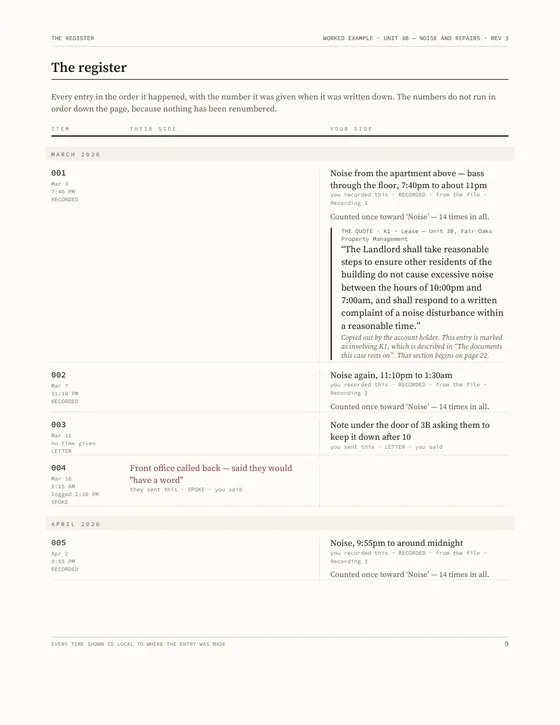
ItemTheir sideYour side
007 Jul 2Move-out photos, 18 files
008 Jul 3Email asking for the deposit
No reply recorded · 4 weeks
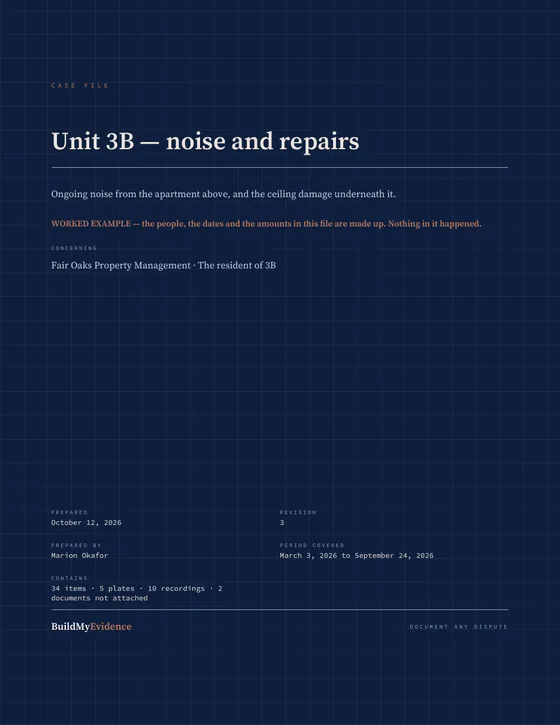
Every entry: date it happened · date written
Pick Timestamp It if…
You want the date and place written onto your photos
You’ll share photos that might lose their data on the way
You take lots of photos of a job or a place
Pick BuildMyEvidence if…
Photos are one part of a bigger record
You need messages, emails and replies in order too
You’ll hand over one file at the end
Plenty of people use both: stamp the photo, then add it to the record on the day it happened.
Two datesOn every entry. The date written can’t be changed.
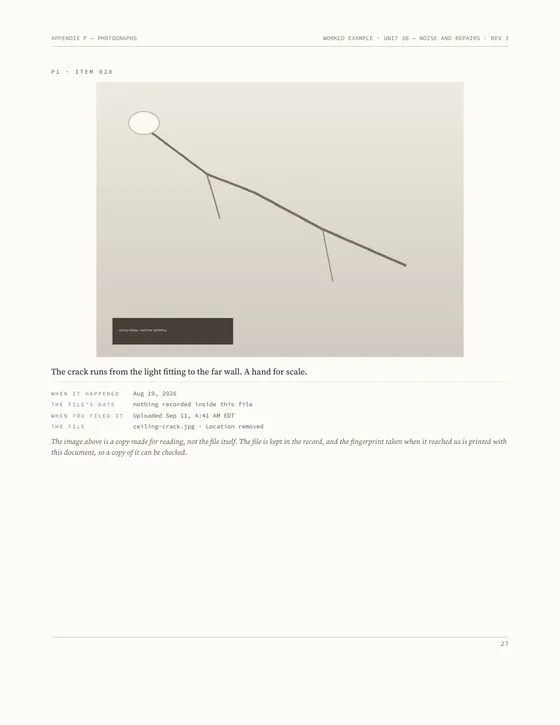
FingerprintedEvery file, on arrival — anyone can check it hasn’t changed.
Both sidesIn order. When they didn’t reply, that shows too.
Free to buildEvery tool, no card. Pay only when you download.
The difference
Where a photo stamp stops
A stamp dates the photo. It doesn’t keep the rest of the story.
What gets dated
Timestamp It
The photo itself. The date and time are written onto the picture, read from the photo’s own data, or from the file’s modified time if that data is missing.
BuildMyEvidence
The entry. Every item has the date it happened and the date you added it, and the second can’t be changed.
What happens to location
Timestamp It
Can write coordinates onto the image, where the photo carries them.
BuildMyEvidence
Removes location data from JPEGs when you upload. Keep your original photos.
What you get at the end
Timestamp It
Stamped copies of your photos, and before-and-after pictures.
BuildMyEvidence
One numbered, dated case file: your photos, messages, emails, diary entries and the other side’s replies, in order, with each file’s fingerprint and a check code on every page.
Timestamp It or BuildMyEvidence
Compared
Timestamp It
BuildMyEvidence
Main job
Writes date, time and location onto photos
Keeps a dated record of any dispute and builds the file you hand over
Where
iPhone and Android apps, plus a free web tool for up to 3 photos at a time
The capture date from the photo’s own data, written on the image
The date it happened and the date added; the date added can’t be changed
Messages and replies
Not what it does
Yes, both sides in order
Cost
Free web tool; paid Pro in the app
Free to build. $59 once per case
Not a law firm and no legal advice. We never write your words or say who’s right.
What a stamp shows
A stamp shows what the photo’s own data said when it was stamped, or the file’s modified time if that data was missing. It doesn’t show the picture wasn’t edited before it was stamped. Nothing we do shows that either: our fingerprint shows a file hasn’t changed since it arrived here.
Using both
Stamp your photos in the Timestamp It app, then add the stamped copy to your record on the day it happened. Keep the original too. The stamp stays readable on the picture; our two dates and fingerprint sit around it.
Use every tool on as many cases as you need. You pay only when you download the finished file for a case.
$59
Once per case
Free to build — every tool, unlimited cases, no card
Read everything first, before you pay
No subscription. Nothing renews.
Charged by Highfield Digital, Inc. Once paid, the sale is final.
Questions
If a photo has coordinates written on it, does BuildMyEvidence remove them?
No. We remove location data stored inside a photo file (JPEG or HEIC), not words or numbers written onto the picture itself. Look at a stamped photo before you hand it over.
What if my photo has no stamp?
Add it anyway, with the day it happened. The record also shows the day you added it, so nothing pretends to be older than it is.
What does it cost?
Building your record is free, with every tool. You pay $59 once per case, only when you download the finished file. No subscription.
Is this legal advice?
No. BuildMyEvidence isn’t a law firm. It keeps your record in order; what you do with it is up to you.
Timestamp It dates the photo. BuildMyEvidence builds the file you hand over.